AI Photo - Image Generator
MLC DevelopmentArt & Design
4.315.00 Reviews
- Version
- 1.1.3
- Installs
- 1.00M
- Age Rating
- Everyone
Screenshots
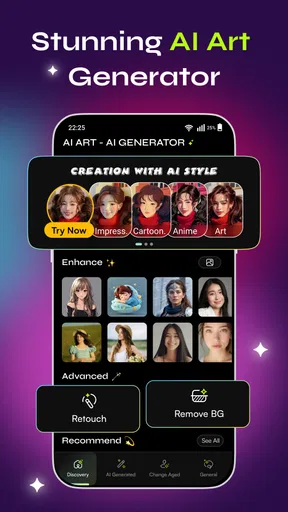
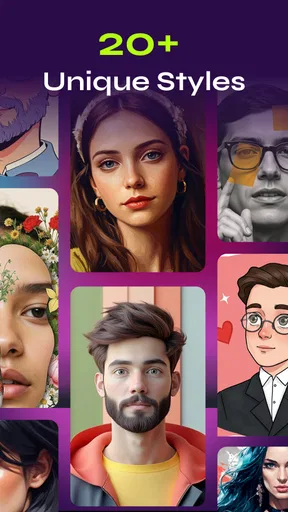
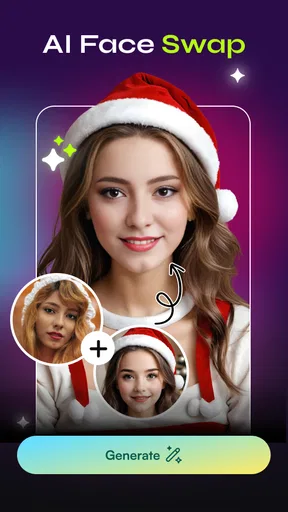
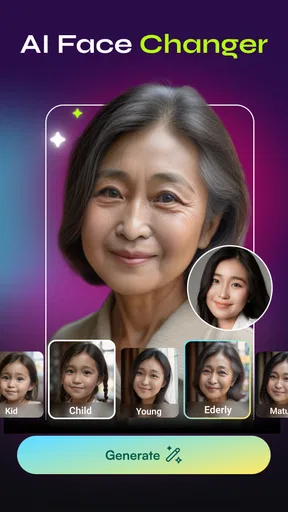
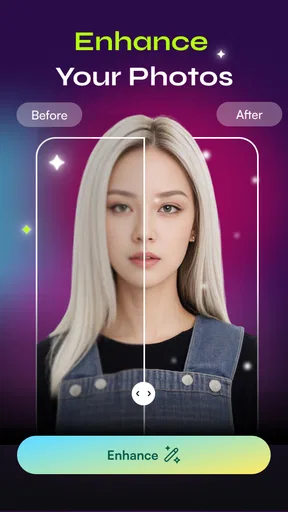
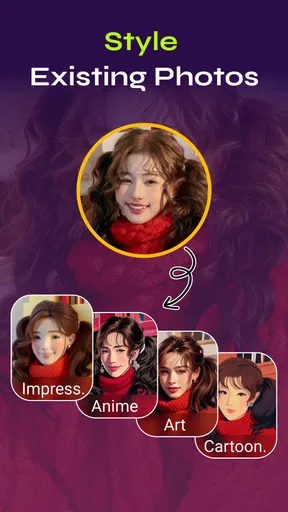
Our Review of AI Photo - Image Generator
 Analysis by Appyee
I opened AI Photo - Image Generator looking for a quick way to turn a rough idea into an image without learning a full design program. That is exactly the space this free Art & Design app tries to occupy: a lightweight starting point for people who want an AI-made picture rather than a blank canvas and a long list of tools. My overall impression is positive, but with an important qualification. It is most useful when I treat the generated image as a first visual draft, not as a finished piece that needs to be perfect on the first attempt.
The app comes from MLC Development and is aimed at a broad audience. It is rated for Everyone, runs on Android devices using version 7.0 or later, and has reached over a million installs. Its average rating sits at 4.1 from around 7.9 thousand ratings, which matches my sense of it: accessible and appealing for casual experimentation, though not necessarily the right replacement for a professional illustration or photo-editing workflow.
From a vague idea to a usable image
The most realistic starting point is not “I need a masterpiece.” It is something smaller: I need a mood image for a social post, a fantasy landscape to help explain a story idea, a visual reference for a presentation, or a playful portrait concept to share with friends. In those situations, the app’s short identity as an AI photo tool makes sense. I can begin with words instead of searching through stock libraries or trying to draw the scene myself.
That distinction matters because text-to-image tools reward a little preparation. A prompt such as “a beautiful city” leaves too many decisions open. I get more useful direction by describing the subject, setting, lighting, mood, and visual treatment in one compact sentence. For example, I might start with a quiet coastal town at dawn, pale blue light, wet streets, and a cinematic travel-photo feeling. The prompt does not need to sound technical; it needs to tell the generator what should remain important.
My first practical tip is to decide what the image will be used for before writing the prompt. A square social image, a phone wallpaper, and a small illustration for a message all have different priorities. If the main subject will be placed beside text, I leave some visual breathing room in the description rather than asking for a tightly packed scene. This is a simple change, but it makes the result easier to use later.
The app is also a convenient entry point for people who are curious about AI art but do not want to subscribe to a complex creative suite immediately. Because it is free, trying a few ideas does not require a financial commitment. That makes it suitable for students exploring visual concepts, casual creators making mood boards, and anyone who wants a quick image for a personal project.
Writing prompts that survive the first attempt
I found that the best workflow is incremental. I begin with one clear subject and a setting, then add only the details that affect the outcome. If I ask for a red bicycle beside a quiet café in morning light, I can judge the result easily. If I combine a bicycle, a crowded market, three characters, several signs, unusual architecture, a storm, and a specific camera angle in the first request, it becomes difficult to tell which instruction caused an awkward result.
When the first image is close but not right, I change one idea at a time. I might replace “dramatic night lighting” with “soft overcast daylight,” or remove an unnecessary background object. This is more effective than rewriting everything after every attempt. It also gives me a better sense of how the app interprets ordinary language.
A less obvious use is creating visual variations for a decision rather than searching for a single perfect answer. For a small event invitation, I could generate several different moods—warm and friendly, minimal and modern, or colorful and playful—then choose the direction that fits the audience. The value is not only the final picture; it is the speed of comparing concepts before spending time designing around one of them.
What the handoff looks like in everyday use
Imagine I am preparing a weekend café recommendation for a group chat. I want a cheerful illustration of a table near a window, with pastries, plants, and morning sunlight. I describe that scene, generate an image, and inspect it for the things that matter: Is the table the focus? Is there enough open space for a short caption? Does the mood feel inviting rather than overly artificial?
If the image works, the next step is not necessarily to publish it unchanged. I might crop it, add text, adjust contrast, or combine it with a real photograph in another editor. This is where the app fits naturally into a larger workflow. It supplies the visual starting material, while a familiar editor handles layout and final presentation. Thinking of it as the first handoff prevents disappointment when the generated image needs a little finishing work.
That handoff is especially useful for people who do not have original photography for every project. A small business owner could use a generated background behind a product announcement, while a student could create a visual cover for a presentation and then add the actual information elsewhere. I would still review the image carefully before using it publicly, particularly when recognizable people, readable text, logos, or specific objects are important.
AI-generated lettering is one of the areas where I would be cautious. If the image needs a clean headline, I prefer to leave room and add the words afterward in a design app. The same approach helps with menus, posters, invitations, and thumbnails. Let the generator handle atmosphere and composition; let a dedicated editor handle typography and exact alignment.
Turning a generated picture into something useful
The strongest result is often not the most photorealistic one. I judge success by whether the image solves the original problem. A slightly stylized landscape can be excellent as a story prompt. A dreamy room can work as a mood-board tile. A playful animal portrait can be perfect for a private message even if small details would not satisfy a professional illustrator.
I also recommend checking the image at the size where it will actually appear. A result that looks impressive when viewed closely may lose its main subject when reduced to a small thumbnail. Conversely, tiny irregularities may not matter at all in a casual chat image. This is a useful trade-off: the app can save time at the idea stage, but I still need to make the final judgement based on the destination.
For a repeatable workflow, I keep a short record of the prompt that produced the best direction and then make controlled variations. I may change the color palette while keeping the subject, or keep the composition while trying a different mood. This turns random experimentation into a small visual exploration. It is one of the more valuable habits for anyone using an AI art generator regularly.
Another practical insight is to separate “reference” images from “delivery” images. I can use the app to explore how a scene might look, then recreate the strongest idea with photographs, vector shapes, or hand editing if accuracy matters. This is particularly helpful when I need a concept for a client conversation or personal project but do not yet know which visual direction to choose.
Where it feels easier than traditional alternatives
Compared with starting in a blank drawing app, this tool removes the hardest initial barrier: the empty page. I do not need to know how to sketch perspective before testing an architectural idea. Compared with browsing stock-photo libraries, I can describe a more unusual combination of details instead of accepting whatever image already exists. Compared with a full desktop design suite, the learning curve feels more approachable for a quick experiment.
That convenience comes with a different kind of work. In a drawing app, I control each line directly. In a stock library, I can inspect the exact photograph before choosing it. With AI generation, I guide the result and then evaluate what came back. The creative effort shifts from manual construction to prompt writing, selection, and correction.
For someone who needs precise branding, consistent characters, exact product shapes, or dependable text, I would choose a conventional design tool or a carefully managed professional image workflow instead. Those alternatives offer more direct control. This app is better when speed, exploration, and a distinctive starting image matter more than exact repeatability.
Small habits that improve the outcome
I would avoid packing a prompt with contradictory instructions. Asking for a dark, moody scene with bright cheerful lighting gives the generator competing signals. I also describe the subject before decorative details, because the central object is usually what I need to protect. If the composition keeps drifting, I simplify the request rather than adding more adjectives.
It helps to think in layers. First establish the subject and location. Then decide whether the image should feel like a photograph, illustration, painting, or another broad visual style. Finally add the atmosphere and color direction. This order makes it easier to diagnose a weak result and gives me a sensible path for the next attempt.
I also use the app for thumbnails and rough storyboarding, where perfection is not the goal. A sequence of generated scenes can help me decide whether a short video idea flows visually before I invest time in filming or editing. The images are not a substitute for a finished storyboard, but they can expose a weak concept quickly.
For personal use, I would keep expectations realistic around faces, hands, small objects, and complex arrangements. These areas deserve a careful visual check. If an image is going to represent a real person, business, or important event, I would not publish it without reviewing those details and making any needed corrections in another tool.
Where the flow breaks down
The biggest friction is the gap between a good idea and a dependable result. A prompt can be clear to me and still produce an image that emphasizes the wrong object or creates an odd relationship between elements. That is not a reason to dismiss the app, but it does mean I should budget time for selection and retries rather than expecting a one-tap finish.
The app is also a weaker choice when the task depends on exact edits. If I need to remove one specific object, match a brand color precisely, preserve a person’s appearance, or arrange several items with measured spacing, a standard photo editor or design application gives me more reliable control. AI generation is excellent at proposing; it is less comfortable when every detail must obey a specification.
Another limitation is creative consistency. If I am building a series with the same character, location, or visual identity, I need to inspect each image carefully rather than assuming the elements will remain stable. For a one-off image, that may not matter. For a comic, campaign, or multi-page project, it can become the main reason to use a more specialized workflow.
I would also skip it if I only need a simple shape, clean icon, or accurately formatted poster. Creating an image from scratch can be slower than using a template or vector tool when the design is mostly geometry and text. The app earns its place when the visual idea is hard to source or draw, not when the task is already easy to build manually.
Who will get the most from it
I think the best audience is the curious beginner who wants visual results without a long setup. It is also useful for writers, teachers, hobby photographers, social-media users, and small project teams that need several concept directions quickly. The free price makes it easy to test whether an AI-assisted workflow suits the way you think.
More experienced creators may still find a role for it during brainstorming. I would use it to explore a color mood, imagine an environment, or create a rough reference before moving into a more controlled application. In that role, the generator does not need to replace professional software. It simply accelerates the first conversation between an idea and an image.
People who should skip it are those who need guaranteed visual accuracy, repeatable production assets, or detailed manual control from the beginning. They may become frustrated by the need to guide, compare, and refine generated results. A traditional editor, drawing application, or stock source will often be more efficient for those needs.
Practical expectations before installing
The app is free and currently listed as version 1.1.1, so I would approach it as an accessible tool for experimentation rather than a complete creative studio. Its Everyone age rating also makes the intended audience broad, but that does not remove the need for personal judgement when deciding what to generate or share.
It was released on January 8, 2026, and its current adoption suggests that many people are willing to try this kind of quick image creation. I would not use the install count or rating as a guarantee that every prompt will work for me; those figures are better read as signs that the app has found an audience, while my own workflow determines whether it is useful.
The most important question is whether I want an image immediately or control over every stage. If I want to turn a sentence into a visual idea, this app is a convenient place to begin. If I want to edit a photograph precisely, build a polished brand asset, or draw with deliberate control, I would move to a different category of tool.
My final take after following the full workflow
AI Photo - Image Generator works best as a bridge between imagination and a usable first draft. I start with a practical need, write a focused prompt, inspect the generated image, and then hand it to another editor when the project needs typography, cropping, or exact cleanup. That workflow feels honest to the app’s strengths and avoids treating AI output as automatically finished.
I like its low barrier, its usefulness for visual exploration, and the way it can produce a direction when I would otherwise be staring at an empty canvas. I also appreciate that the free entry point makes experimentation straightforward. The trade-off is that I must remain involved: prompt quality, selection, checking details, and final editing all affect the outcome.
My recommendation is therefore specific. Install it if you want quick concept images, imaginative personal content, or a fast way to test visual directions on a compatible Android device. Keep a conventional editor nearby for finishing work, and choose another solution when precision is the central requirement. Used with those expectations, this Art & Design app is a useful creative sketchpad rather than a replacement for every tool in the image-making process.
Verdict
Strengths of AI Photo - Image Generator
- Creates unique images from simple text prompts.
- Offers creative styles for portraits, art, and social content.
- Useful for brainstorming visual ideas quickly.
- Easy interface suitable for beginners.
- Can generate images without advanced editing skills.
Limitations of AI Photo - Image Generator
- Results may differ significantly from the original prompt.
- Some features or credits may require a subscription.
- Generated faces and hands can occasionally look unnatural.
- Image quality may vary depending on prompt detail.
- Processing times can increase during periods of high demand.
Similar Picks in This Category
View All
Canva: AI Photo & Video Editor
Canva4.8

PENUP – Drawing-sharing SNS
Samsung Electronics Co., Ltd.4.5

Crafto
Kutumb App4.6

Sketchbook
Sketchbook4.1

ibis Paint X
ibis inc.4.5

Adobe Express: AI Photo, Video
Adobe4.6
Frequently Asked Questions
What is AI Photo - Image Generator and how does it work?
AI Photo - Image Generator is an app that creates or transforms images using artificial intelligence. After entering a text prompt, selecting a visual style, or uploading a source image where supported, the app processes your request and produces an AI-generated result. The quality depends heavily on how clearly you describe the subject, mood, colors, composition, and artistic style you want.
Do I need an account or an internet connection to use AI Photo - Image Generator?
Most AI image-generation features require an active internet connection because prompts and image processing are handled on remote servers rather than entirely on your phone. Depending on the version, you may also be asked to create an account or sign in before generating images. Offline access is generally limited, so users should check the app’s current requirements and privacy information before downloading.
Is AI Photo - Image Generator free to use?
The app may offer free image generation, but free access can be limited by daily credits, watermarks, advertising, available styles, or lower export quality. Additional generations, premium filters, faster processing, and high-resolution downloads may require a subscription or one-time purchase. Before confirming payment, review the pricing screen carefully because trial periods and automatic renewal terms can vary by platform.
Can images created with AI Photo - Image Generator be used commercially?
Commercial usage depends on the app’s current terms of service, the type of account you use, and sometimes the image model or feature selected. Some generated images may be available for personal use only, while paid plans can provide broader rights. You should also avoid using copyrighted characters, logos, celebrity likenesses, or other protected material without permission, even if the app allows you to generate it.
What privacy and safety considerations should I know before uploading photos?
If you upload personal photographs, review the app’s privacy policy to understand how images, prompts, and account information are stored and processed. Avoid submitting confidential documents, private family images, children’s photos, or pictures containing sensitive personal details unless you are comfortable with the stated data practices. Results can also contain visual errors or unexpected content, so review every image before sharing or publishing it.
